Ensure that the images you upload adhere to the dimensions of 768x1024 pixels. These specific dimensions are essential for preserving the quality and uniformity of the generated images.
To achieve the best generation results, use a white background for your models and clothing. A white background reduces distractions, allowing the focus to remain on the details of the models and garments.
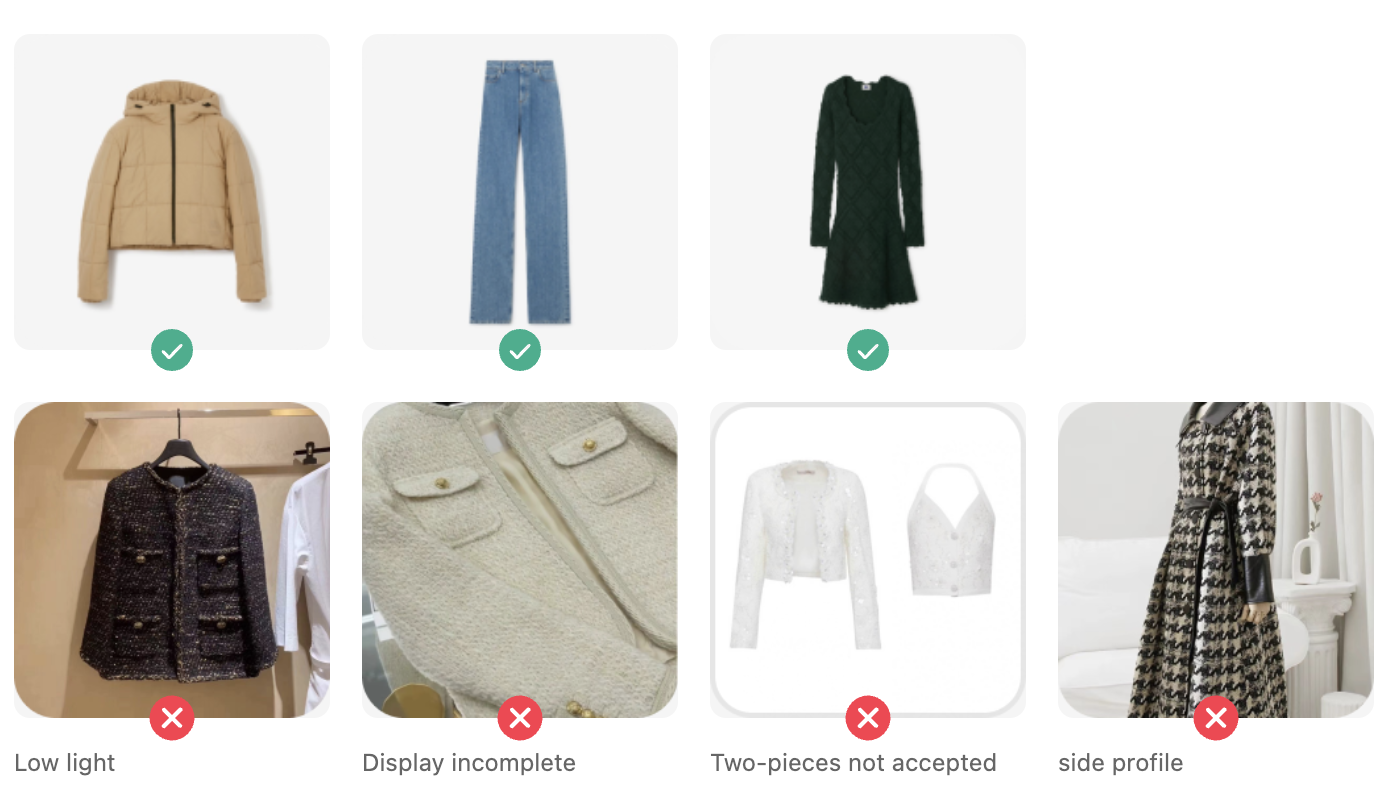
Begin with the top part of the outfit, adhering to the upload and background guidelines to ensure optimal outcomes.
Once the top is generated, drag and drop the image onto the model area to start generating the bottom part of the outfit. This methodical approach guarantees a unified appearance for full-body outfits.
For Upper and Lower Garments: When aiming to generate images featuring separate upper and lower garments, ensure your model is dressed accordingly in both upper and lower pieces. This alignment with the intended final product enhances the realism and relevance of the generated images.
For Dresses: If your goal is to generate images of dresses, it is advisable for your model to wear a dress. This should mirror the examples provided, creating a consistent and accurate representation of your vision.